> Apps / Stage Score
Stage Score
PDF sheet music for your band · iPad
Stage Score is a reader for sheet music and chord charts in PDF, made for worship teams, bands and choirs.
Keep all your songs in one library on your iPad, find any of them in seconds by title, composer or tag, and play full screen with the display kept awake.
No account, no ads and no internet needed — your files stay on your iPad.
> Screenshots
A closer look
Everyone on the same page — literally
When the leader opens a song or turns the page, every iPad in the band follows at once: the same song, the same version, the same place in the setlist. The iPads connect directly to each other, so there is no Wi-Fi network to join and no router needed on stage — Wi-Fi just has to be switched on.
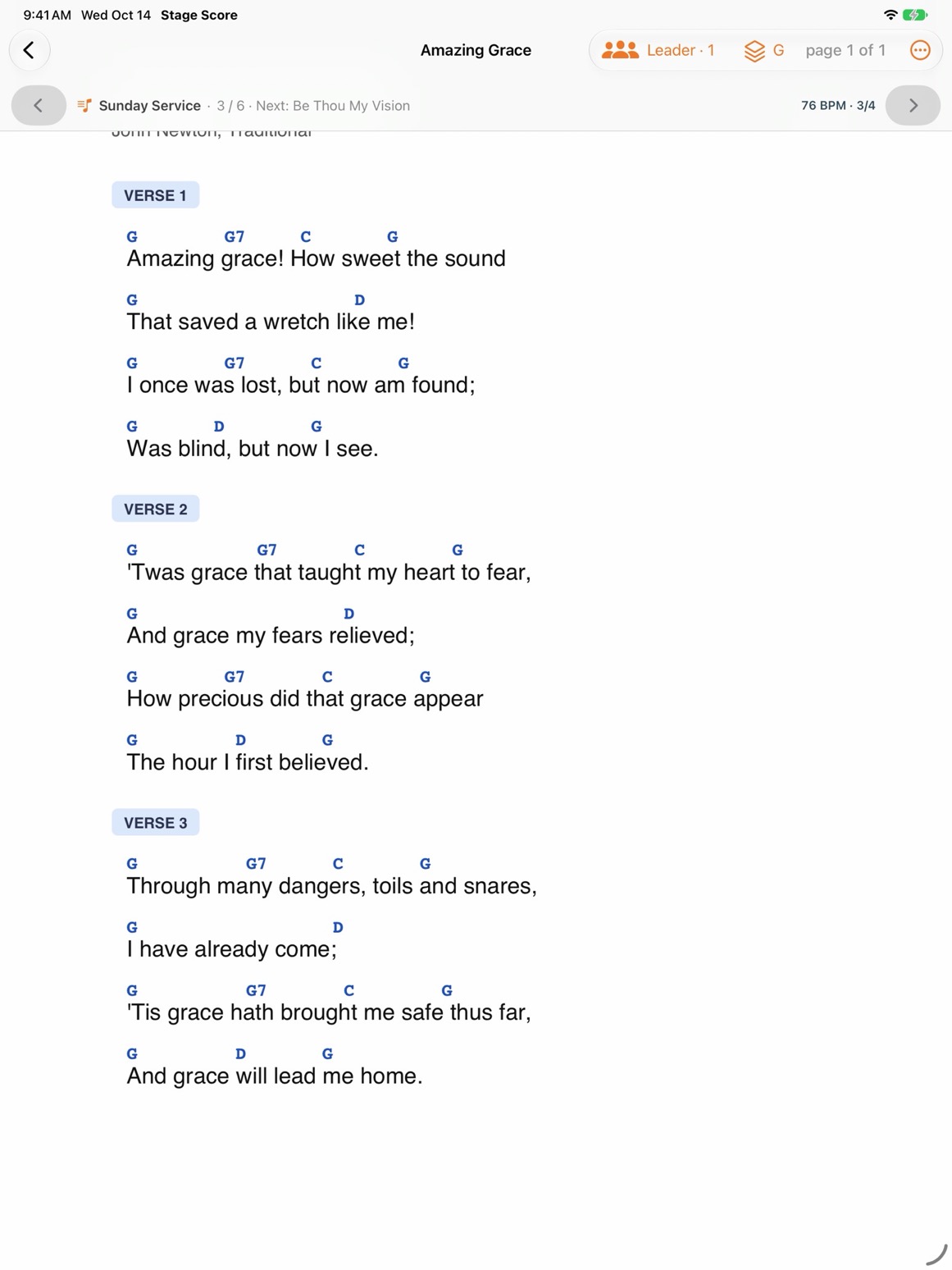
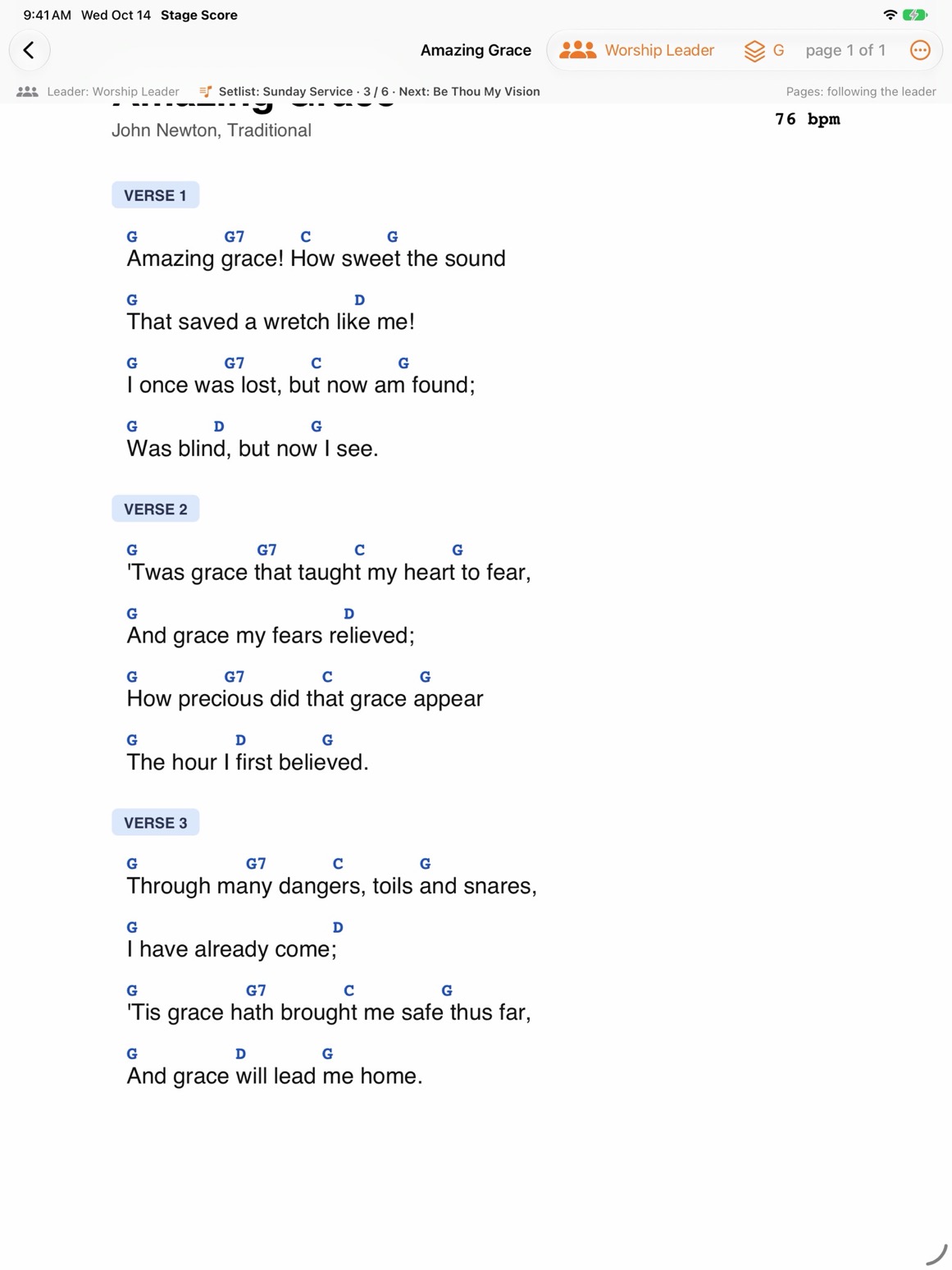
Every member: the same song and version, the leader's name and what comes next.
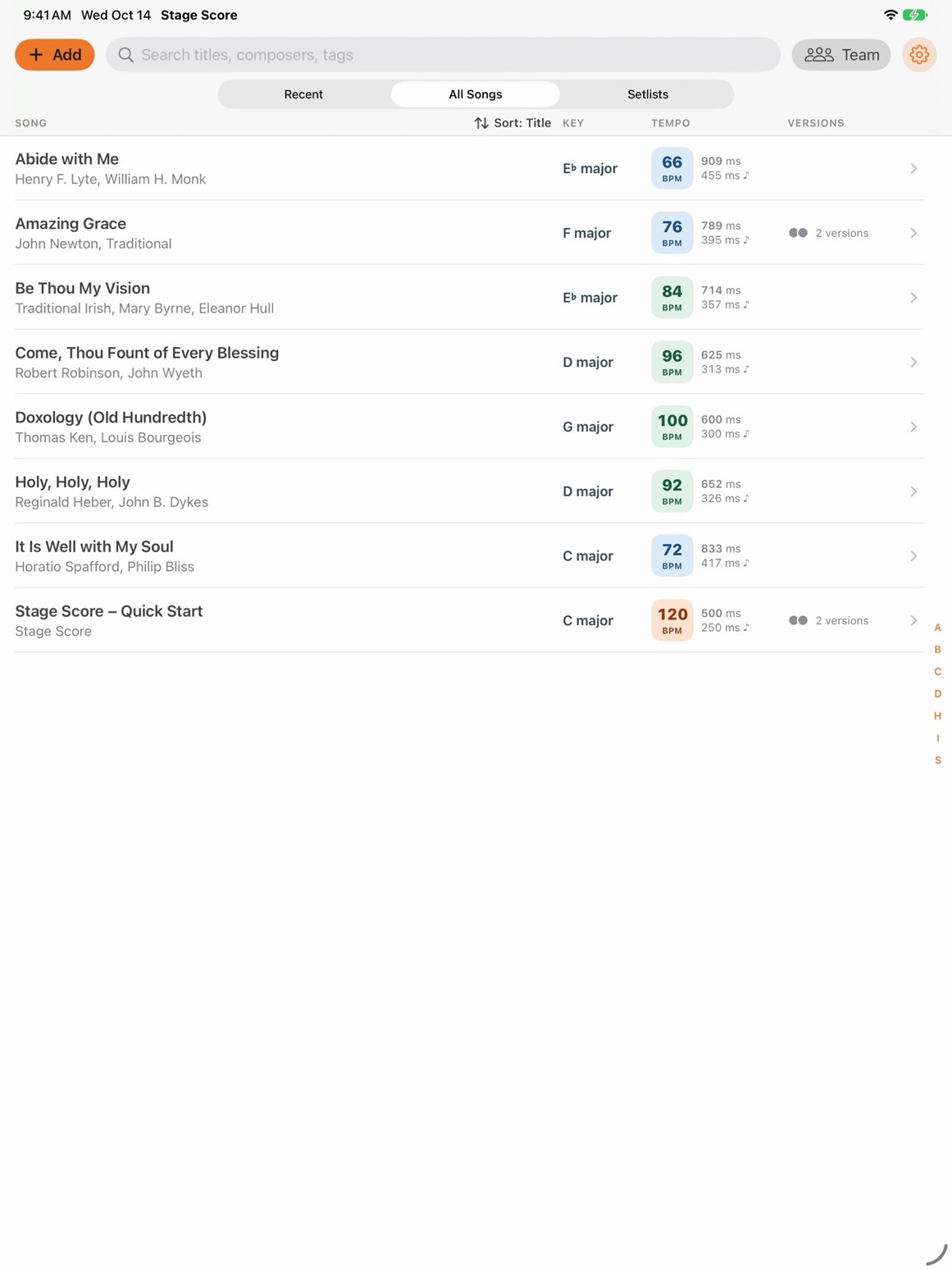
Your whole library in one place
Every song shows its key and tempo, with delay times in milliseconds for your effects. Songs with several PDFs appear once, marked “2 versions”.
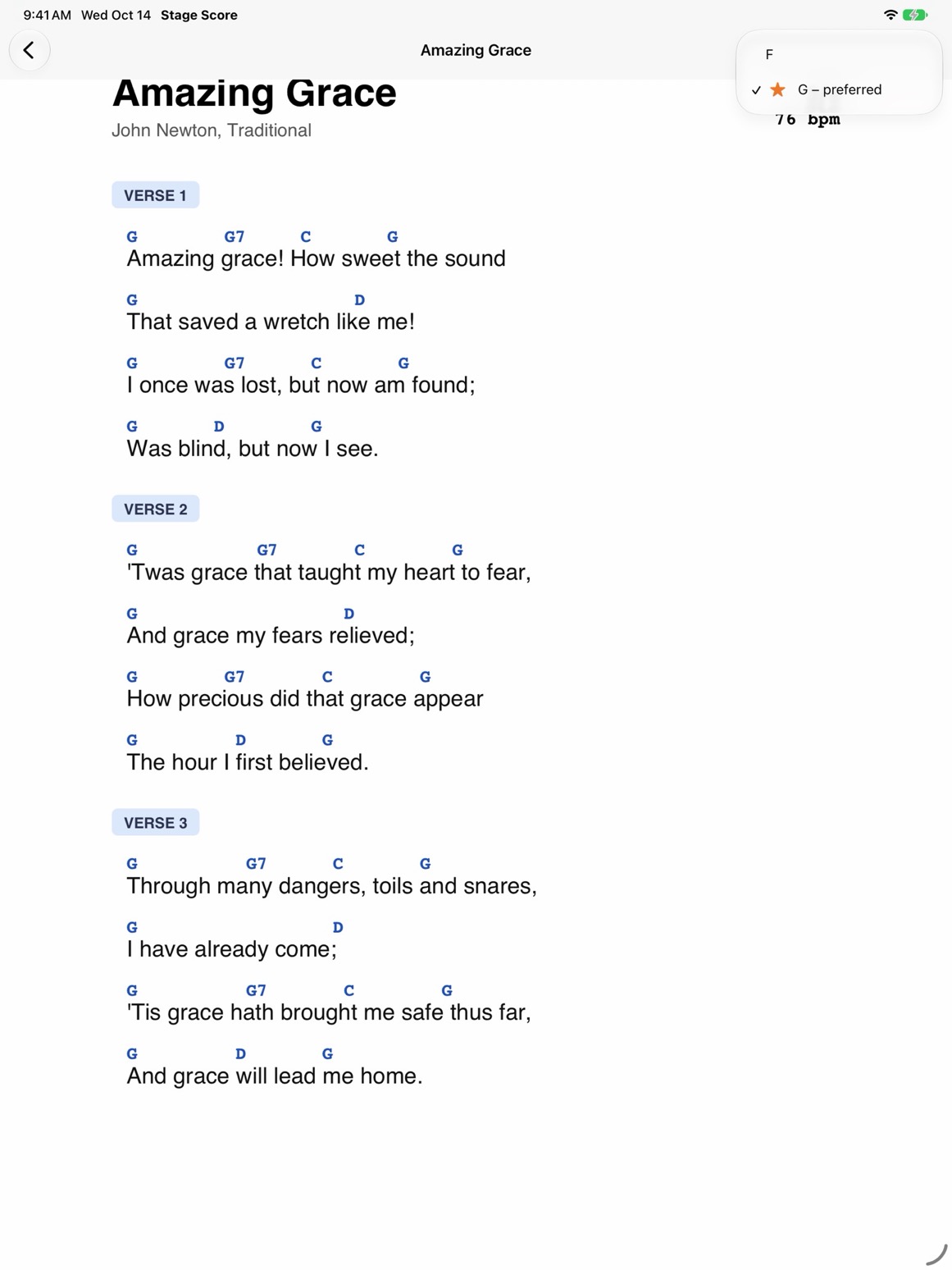
One song, many versions
Switch between versions — another key, songbook or language — from the menu at the top. The preferred version is starred, and Stage Score remembers your choice.

Setlists with sections
Plan a service or a gig in sections and play it from the start. Swipe past the last page to move on to the next song.
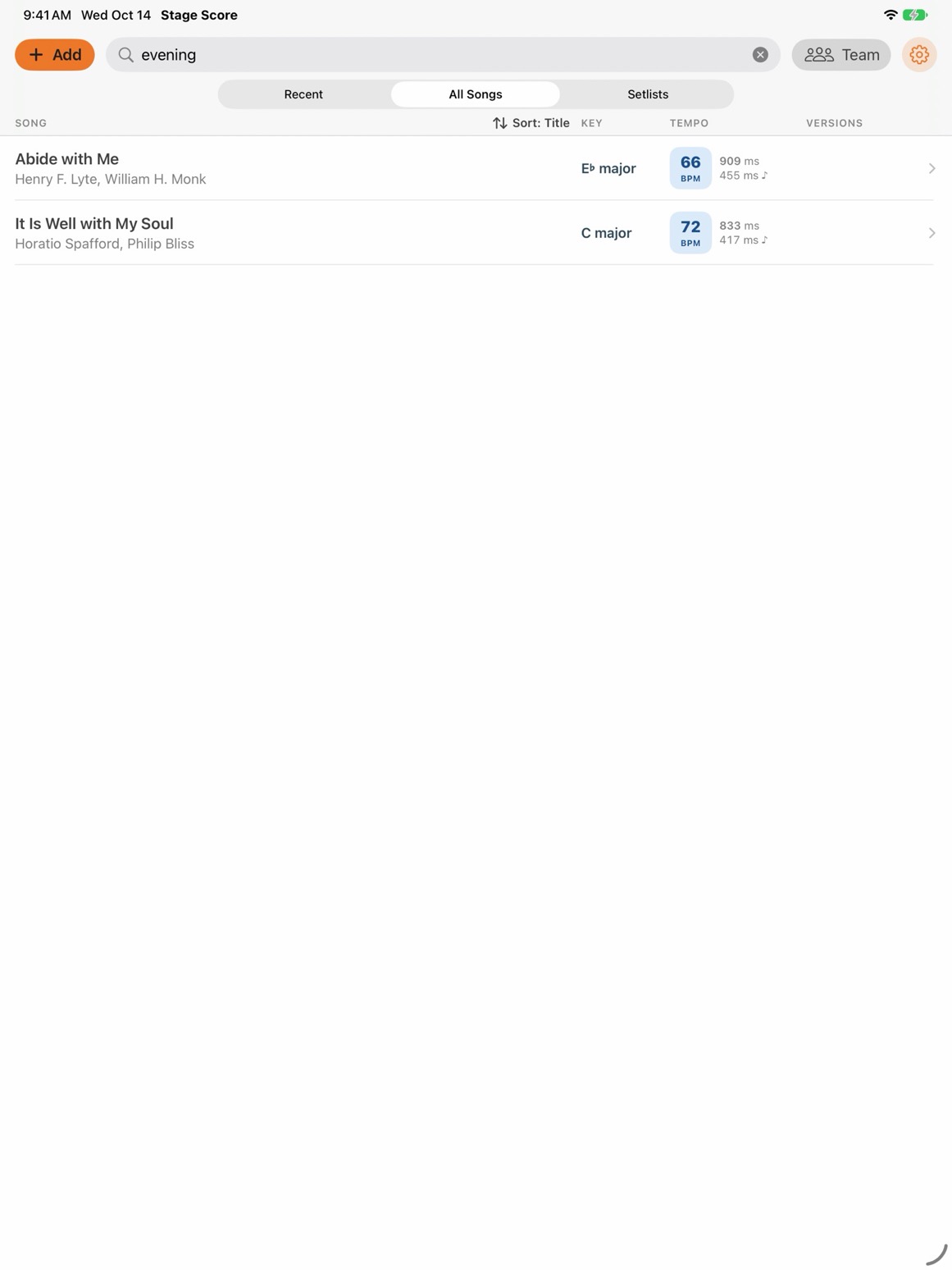
Find any song in seconds
Search by title, composer, genre or tag. Accents and letter case don't matter.
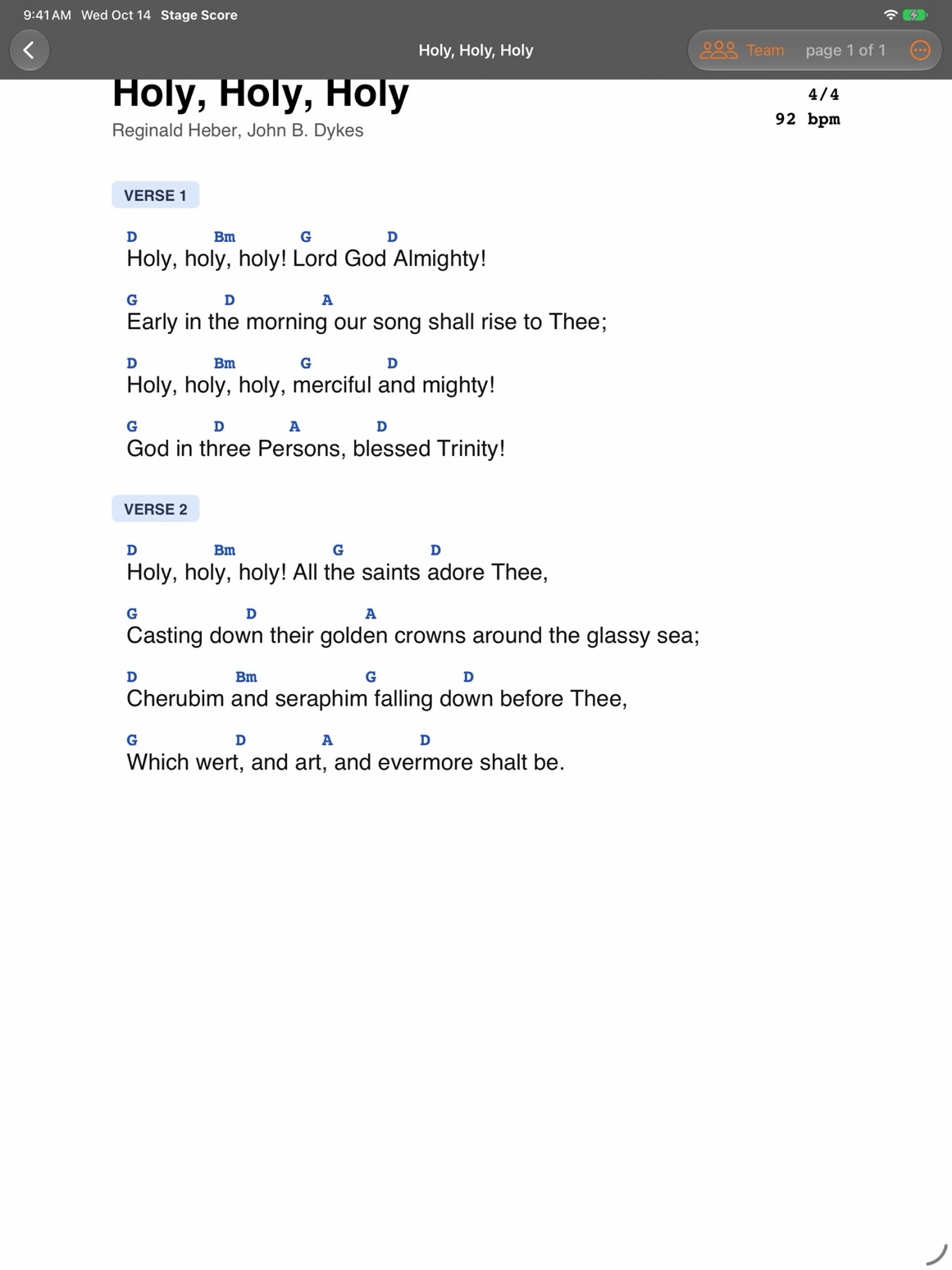
Light or dark
A full-screen reader in light or dark theme. Tap the sides to turn pages and the middle to show the menu.
> Features
Everything in version 1.0
Band mode
Keep the whole band on the same page.
- The leader opens a song or turns the page, and every member's iPad follows.
- Works over Wi-Fi or directly between iPads, without a router.
- Members can follow the leader's pages or turn their own, and jump back to the leader at any time.
- Stays connected through screen lock and reconnects by itself after a short drop-out.
Library
- Add many PDFs at once from Files or iCloud Drive.
- Import a whole songbook: copy folders of PDFs to Stage Score in the Files app.
- Reads forScore-style PDF metadata: title, composers, genres, tags, key and tempo.
- Sort by title, date added or tempo; recently opened songs in their own tab.
Reader
- Full page on screen, in portrait and landscape.
- Tap or swipe to turn pages; the menu hides for a clean full-screen view.
- The screen stays awake while you play — or follows your iPad settings.
- All versions of a song in one place, with a preferred version.
Setlists
- Setlists with sections for every part of the service or gig.
- Play a setlist from the start and move on to the next song with a swipe.
- See what comes next, with tempo and time signature.
Privacy
- No account, no ads, no analytics, no tracking.
- No internet connection needed — your files stay on your iPad.
- Interface in English and Polish, with a built-in Quick Start guide.
> Planned
What's next
Ideas we are working towards. There are no release dates yet, and plans may change.
planned Send songs between iPads
Share song files with band members who don't have them yet — no internet or cloud needed.
planned Leader's notes for everyone
Notes drawn with a finger or Apple Pencil, visible on every member's iPad.
planned Metronome
The song's tempo, tap tempo and delay times at hand.
planned Foot pedals and MIDI
Turn pages and switch songs with a Bluetooth pedal or MIDI Program Change.
planned Transpose chords
Move a chord chart up or down by semitones.
planned Audio for rehearsal
A mix or stems attached to each song.
planned ChordPro and MusicXML
Open songs in text and notation formats, not only PDF.
planned More platforms
Stage Score on Mac, and later on other systems.